> ## Documentation Index
> Fetch the complete documentation index at: https://docs.birdtab.app/llms.txt
> Use this file to discover all available pages before exploring further.
# BirdTab Pro
> Unlock the full BirdTab experience.
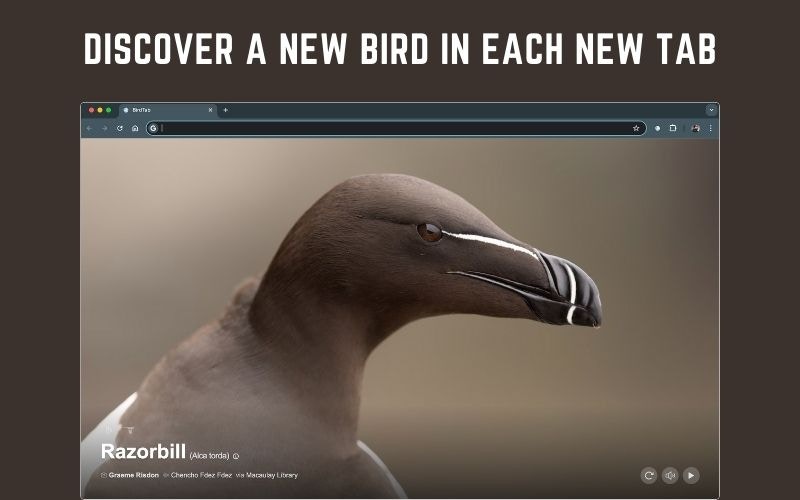
BirdTab is free. BirdTab Pro adds a set of premium features for birders who want more from their new tab.
 ## What's included
Watch short video clips of each bird in its natural habitat.
View birds at full 2400px resolution — every feather visible.
Explore birds from 200+ regions across Europe, Asia, Africa, Australia, and beyond.
Show the current time or a countdown timer on your new tab page.
## Free vs Pro
| Feature | Free | Pro |
| -------------------------- | ---- | --- |
| Bird of the day | ✓ | ✓ |
| Bird audio | ✓ | ✓ |
| Bird quiz | ✓ | ✓ |
| Viewing history | ✓ | ✓ |
| Quick Access | ✓ | ✓ |
| North America region | ✓ | ✓ |
| Video mode | — | ✓ |
| High-res images (2400px) | — | ✓ |
| 200+ international regions | — | ✓ |
| Clock & Timer | — | ✓ |
## Free trial
Every new BirdTab installation includes a **14-day free trial** of Pro — no credit card required. You get immediate, full access to all Pro features from the moment you install.
When the trial ends, BirdTab continues working with the standard free features — your settings and history are preserved. Upgrade at any point to restore Pro access.
## Upgrade to Pro
Click the gear icon in the bottom-right corner of the new tab page.
Find the upgrade prompt at the top of the settings panel.
You'll be taken to a secure payment page. BirdTab Pro is available as a yearly subscription or lifetime purchase.
Pro access activates immediately after purchase. No restart or reinstall required.
## Subscription states
| State | Meaning |
| ---------- | ----------------------------------------------------------------- |
| **Trial** | 14-day free trial; all Pro features active |
| **Active** | Paid subscription or lifetime license; all Pro features active |
| **Grace** | Subscription recently lapsed; Pro features remain for 7 more days |
| **Free** | No active subscription; standard free features only |
Your current state is shown at the top of the Settings panel.
## Frequently Asked Questions
Visit [birdtab.app/pricing](https://birdtab.app/pricing) and pick a plan — **yearly subscription** or **lifetime purchase**. After checkout a license key is sent to your email.
You can also start from inside BirdTab: open **Settings** (gear icon, bottom-right) and click **Upgrade to Pro**.
Pro access activates immediately — no restart required.
After purchasing you'll receive a license key by email. To activate:
1. Open a new BirdTab tab and click the **gear icon** (bottom-right).
2. Click **Enter license key**.
3. Paste the key from your confirmation email and confirm.
Pro features turn on right away. If you switch devices or reinstall, repeat the same steps. See [Manage Subscription](/pro/manage-subscription) for more.
Still not working? Go to **Settings → Pro** and click **Refresh status**, or [contact support](https://birdtab.app/contact).
## What's included
Watch short video clips of each bird in its natural habitat.
View birds at full 2400px resolution — every feather visible.
Explore birds from 200+ regions across Europe, Asia, Africa, Australia, and beyond.
Show the current time or a countdown timer on your new tab page.
## Free vs Pro
| Feature | Free | Pro |
| -------------------------- | ---- | --- |
| Bird of the day | ✓ | ✓ |
| Bird audio | ✓ | ✓ |
| Bird quiz | ✓ | ✓ |
| Viewing history | ✓ | ✓ |
| Quick Access | ✓ | ✓ |
| North America region | ✓ | ✓ |
| Video mode | — | ✓ |
| High-res images (2400px) | — | ✓ |
| 200+ international regions | — | ✓ |
| Clock & Timer | — | ✓ |
## Free trial
Every new BirdTab installation includes a **14-day free trial** of Pro — no credit card required. You get immediate, full access to all Pro features from the moment you install.
When the trial ends, BirdTab continues working with the standard free features — your settings and history are preserved. Upgrade at any point to restore Pro access.
## Upgrade to Pro
Click the gear icon in the bottom-right corner of the new tab page.
Find the upgrade prompt at the top of the settings panel.
You'll be taken to a secure payment page. BirdTab Pro is available as a yearly subscription or lifetime purchase.
Pro access activates immediately after purchase. No restart or reinstall required.
## Subscription states
| State | Meaning |
| ---------- | ----------------------------------------------------------------- |
| **Trial** | 14-day free trial; all Pro features active |
| **Active** | Paid subscription or lifetime license; all Pro features active |
| **Grace** | Subscription recently lapsed; Pro features remain for 7 more days |
| **Free** | No active subscription; standard free features only |
Your current state is shown at the top of the Settings panel.
## Frequently Asked Questions
Visit [birdtab.app/pricing](https://birdtab.app/pricing) and pick a plan — **yearly subscription** or **lifetime purchase**. After checkout a license key is sent to your email.
You can also start from inside BirdTab: open **Settings** (gear icon, bottom-right) and click **Upgrade to Pro**.
Pro access activates immediately — no restart required.
After purchasing you'll receive a license key by email. To activate:
1. Open a new BirdTab tab and click the **gear icon** (bottom-right).
2. Click **Enter license key**.
3. Paste the key from your confirmation email and confirm.
Pro features turn on right away. If you switch devices or reinstall, repeat the same steps. See [Manage Subscription](/pro/manage-subscription) for more.
Still not working? Go to **Settings → Pro** and click **Refresh status**, or [contact support](https://birdtab.app/contact).