

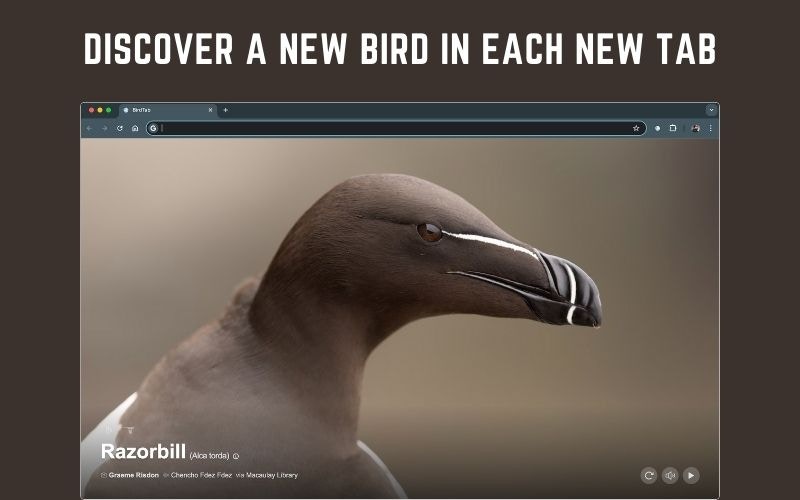
What’s included
Video Mode
Watch short video clips of each bird in its natural habitat.
High-Res Images
View birds at full 2400px resolution — every feather visible.
International Regions
Explore birds from 200+ regions across Europe, Asia, Africa, Australia, and beyond.
Clock & Timer
Show the current time or a countdown timer on your new tab page.
Free vs Pro
Free trial
Every new BirdTab installation includes a 14-day free trial of Pro — no credit card required. You get immediate, full access to all Pro features from the moment you install.
Upgrade to Pro
1
Open Settings
Click the gear icon in the bottom-right corner of the new tab page.
2
Click Upgrade to Pro
Find the upgrade prompt at the top of the settings panel.
3
Complete checkout
You’ll be taken to a secure payment page. BirdTab Pro is available as a yearly subscription or lifetime purchase.
Subscription states
Your current state is shown at the top of the Settings panel.
Frequently Asked Questions
How do I buy BirdTab Pro?
How do I buy BirdTab Pro?
Visit birdtab.app/pricing and pick a plan — yearly subscription or lifetime purchase. After checkout a license key is sent to your email.You can also start from inside BirdTab: open Settings (gear icon, bottom-right) and click Upgrade to Pro.Pro access activates immediately — no restart required.
How do I activate my BirdTab Pro license?
How do I activate my BirdTab Pro license?
After purchasing you’ll receive a license key by email. To activate:
- Open a new BirdTab tab and click the gear icon (bottom-right).
- Click Enter license key.
- Paste the key from your confirmation email and confirm.